Presets
Choose the preset for what you write: Dev blog, Changelog or Homelab.
A preset sets up Logbuch for one kind of site. It picks the colour scheme, light and dark, and the home page layout, and it tells the theme which accent colour belongs to the scheme. You can change the layout, the fonts and the colours afterwards with the other settings, so pick the preset closest to what you write and adjust from there.
| Preset | Colour scheme | Home page layout | Default accent colour |
|---|---|---|---|
| Dev blog | Seekarte | Tutorials first | #C20826 |
| Changelog | Nebel | Changelog | #B8103B |
| Homelab | Rost | Log | #B12A06 |
Choose your preset
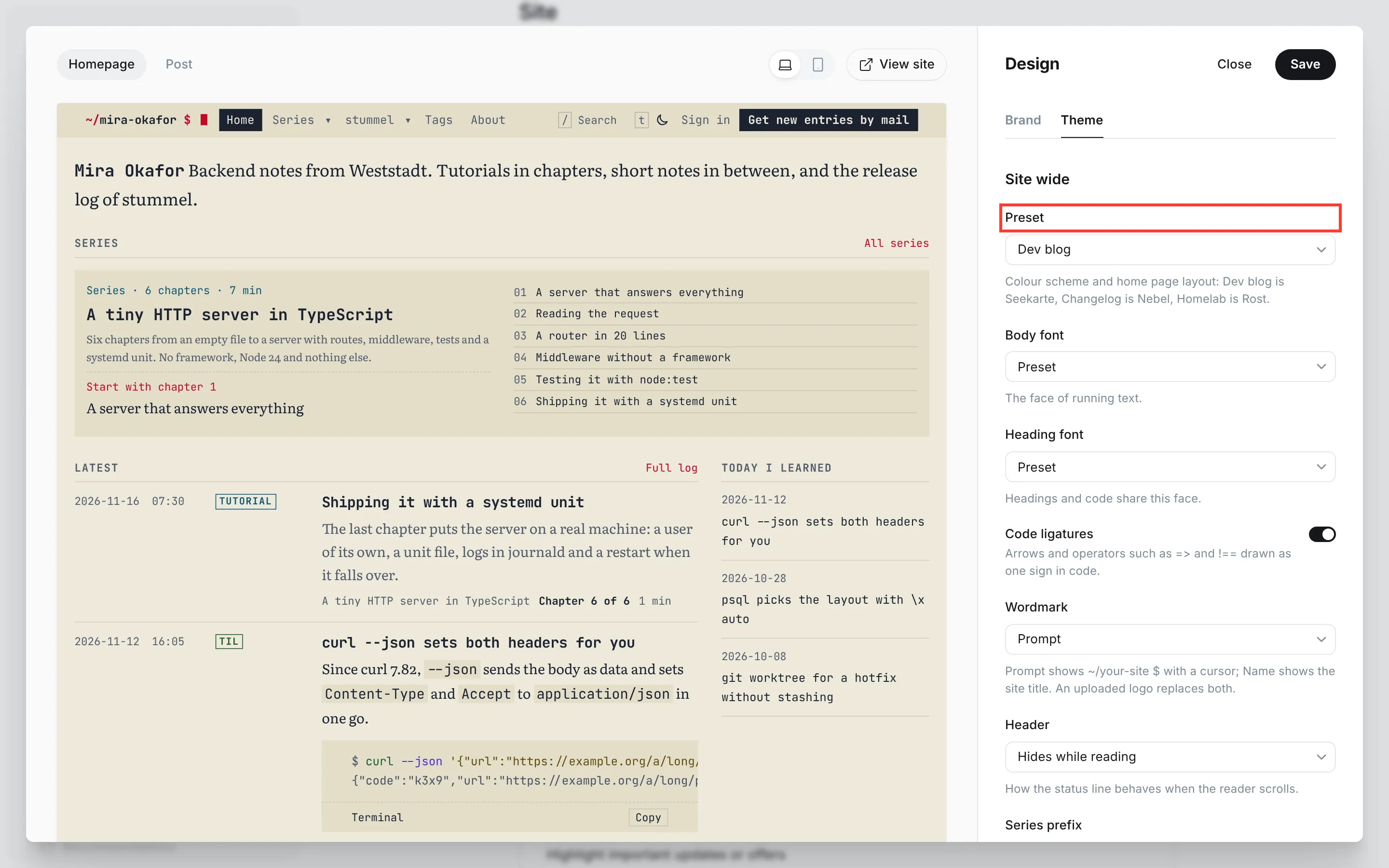
- In Ghost Admin, go to Settings → Site → Design & branding and click Customize.
- Open the Theme tab in the panel on the right.
- Under Site wide, set Preset to Dev blog, Changelog or Homelab.
- Under Homepage, leave Homepage layout on Preset, so the layout follows the preset.
- Click Save.
Then set Ghost's accent colour to the preset's default from the table above: Settings → Site → Design & branding → Customize → Brand → Accent color. With that colour, the theme uses the reds of its scheme exactly as they were tuned, by day and by night. Any other accent colour counts as your own, and the theme adjusts it wherever it's used as text (see Ghost's accent colour). Ghost also uses the accent colour in its own sign-up window.
Dev blog
Demo: PLACEHOLDER
For a personal developer blog with tutorials in chapters and short notes in between. The colour scheme is Seekarte: cream chart paper by day, navy by night. The home page opens with Tutorials first: your series as course cards with their chapters, total reading time and the reader's progress, then the latest entries beside a column of TIL notes. Without a series yet, it shows the latest entries.
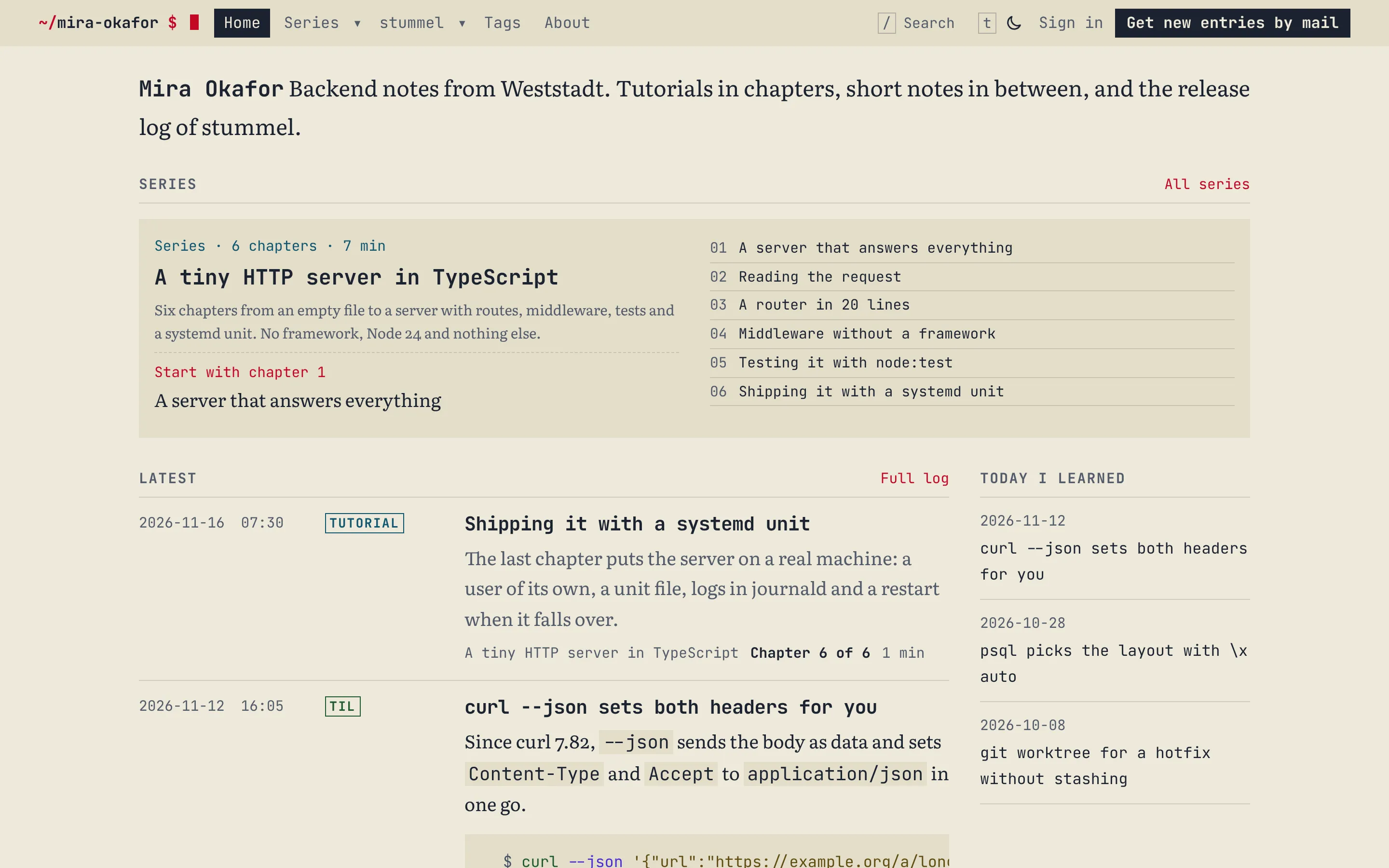
The demo content is the blog of Mira Okafor, a backend developer: a tutorial series in chapters, TIL notes, posts and the releases and incidents of her side project. Import it from Demo content and give your first series tag a slug that starts with series- (see Post types).
Changelog
Demo: PLACEHOLDER
For the release notes and incident reports of a product. The colour scheme is Nebel: fog grey paper by day, near-neutral graphite by night, with its colours held back. The home page uses the Changelog layout: the site title as the product name, the latest version with its date, a status line for incidents, then the newest releases with their Added, Changed and Fixed lines, and beside them the newest incidents and posts.
The demo content is Pegel, a small self-hosted uptime monitor that two people maintain in their evenings: mostly releases and incident reports, a few posts in between. The layout reads the version from the release posts and the status from the incident posts, so set their templates as Post types describes.
Homelab
Demo: PLACEHOLDER
For a homelab journal of short entries about what you set up and what broke. The colour scheme is Rost: paper with a touch of rose by day, a red-brown hull by night. The home page uses the Log layout: every entry in order with its date, time and type, TIL notes shown in full, and filters by type at the top.
The demo content is The Loft Rack, three mini PCs and a NAS in a loft: entries, incidents, TIL notes, a series and the releases of an Ansible repository.
Switching presets later
You can switch at any time. Your posts stay as they are, and every list reads them the same way in each preset. If Homepage layout is on Preset, the home page follows the new preset. A layout you chose yourself stays, and so do your fonts and a Primary color you set.
Change the accent colour too. The theme compares it with the default of the current preset, so the old preset's accent now counts as your own colour.