Navigation
Fill the header and footer menus, add submenus, and copy a structure that works for a dev blog, a changelog or a homelab journal.
Logbuch has two menus. The primary navigation sits in the header, next to your wordmark. The secondary navigation sits in the footer, in the column "Elsewhere". Both are set in Settings → Site → Navigation → Customize, on the tabs Primary and Secondary.
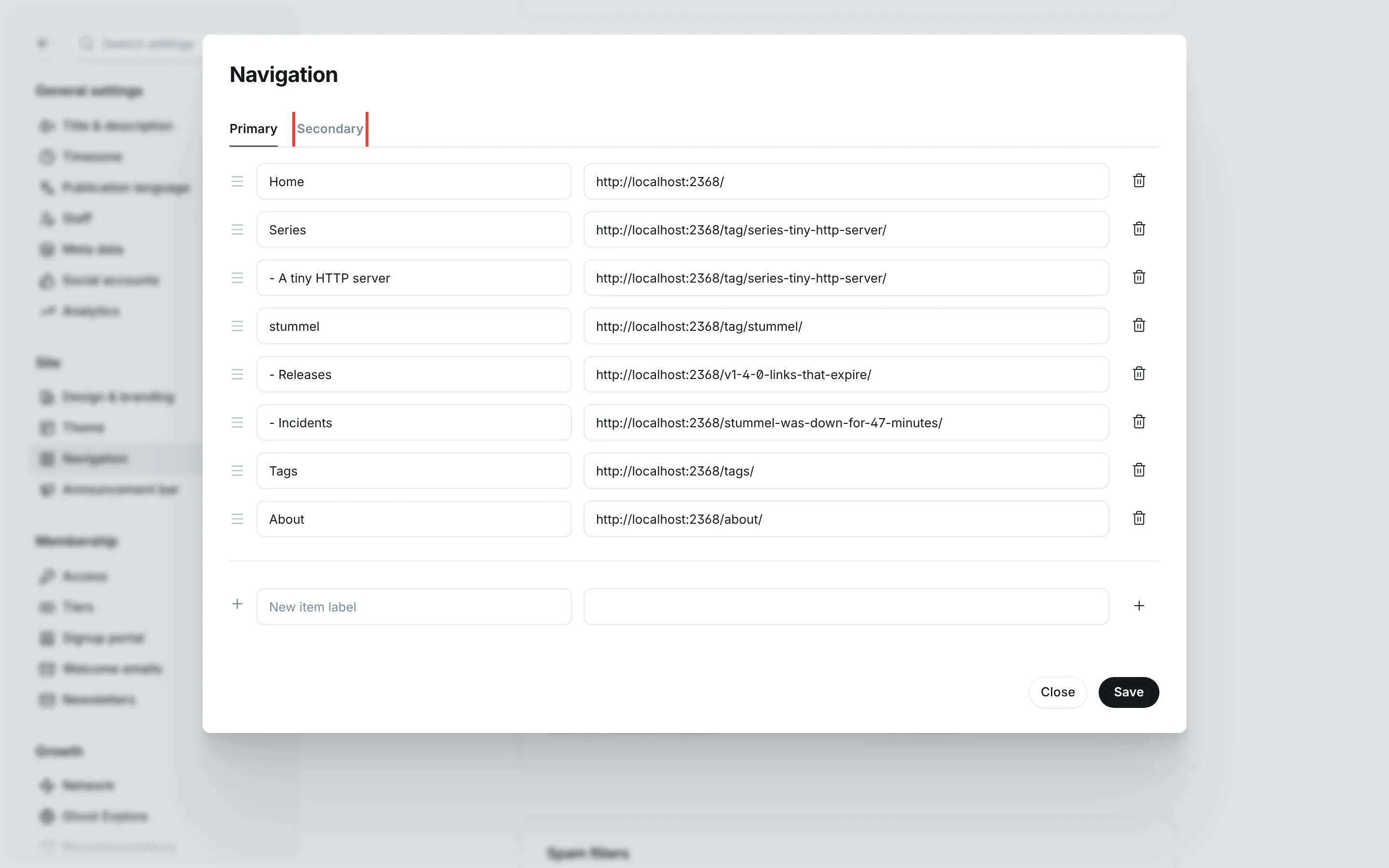
- Add an item at the end of the list with its label and URL. For pages on your own site, the part after the domain is enough (
/about/). - Drag the rows by their handle to change the order.
- Click Save.
Submenus
Ghost's menus are flat lists, so Logbuch builds submenus from the labels. Start a label with a hyphen and a space, and the item goes into a submenu under the item above it. This works in the primary navigation only.
| Label in Ghost Admin | URL |
|---|---|
Series | /tag/series-tiny-http-server/ |
- A tiny HTTP server | /tag/series-tiny-http-server/ |
- Postgres from the shell | /tag/series-postgres-from-the-shell/ |
The item on top stays a link. With a mouse, the submenu opens while the pointer rests on the item. On a touch screen, the first tap on the item opens the submenu and the second follows its link. The arrow beside the item opens it from the keyboard, and a click outside or Escape closes it again. The hyphen isn't shown to readers.
On phones and tablets, and on any screen where your menu is too long for one line, the navigation moves behind a menu button. "Sign in" and the subscribe button move into the menu too. The menu opens over the page and dims the page behind it, and submenus open in place there. The menu scrolls if it's taller than the screen and closes with the menu button, Escape or a tap outside it.
A structure for each preset
Keep the primary navigation short. The demos have five or six items on the top level, and those fit beside the wordmark on a laptop. Search, the light and dark button, "Sign in" and the subscribe button are part of the header already, so they don't need an item.
A series has its course page at /tag/ followed by the tag's slug, for example /tag/series-tiny-http-server/. Readers start there, so link series to that page rather than to their first chapter. The page for all tags is /tags/ and the page for all authors is /authors/. Both need a page with that slug first (Post types).
Dev blog
The Dev blog demo uses a structure close to this one, and it's where I'd start for a personal blog:
| Label | URL |
|---|---|
Home | / |
Series | the course page of your newest series |
- A tiny HTTP server | /tag/series-tiny-http-server/, one item per series |
stummel | /tag/stummel/, the tag of a project you write about |
Tags | /tags/ |
About | /about/ |
Changelog
For a product, readers come for the latest release and for the state of the last incident. The Changelog home page shows both, so the menu points at the archives:
| Label | URL |
|---|---|
Home | / |
Releases | /tag/releases/ |
- v0.9.0 | the latest release |
Incidents | /tag/incidents/ |
About | /about/ |
Releases and incidents are recognised by their template and internal tag, and internal tags have no page of their own. The Pegel demo gives every release the public tag releases and every incident report the tag incidents as well, so each has a list to link to. Post types shows another way, an archive per type in routes.yaml.
Homelab
The Homelab demo puts the series and a page about the machines next to the tags:
| Label | URL |
|---|---|
Home | / |
Series | the course page of your series |
- Rebuilding the rack | /tag/series-rebuilding-the-rack/ |
Hardware | /hardware/, a page listing the machines |
Tags | /tags/ |
About | /about/ |
The footer
The footer has three columns on a computer and two on a phone. You fill one of them, Logbuch fills the others:
- The wordmark and your site description.
- "Series": up to five of your series, newest first, and a link "All series" to
/tags/. The column appears as soon as a tag's slug starts with the series prefix. - "Elsewhere": your secondary navigation, followed by a link to the site's RSS feed.
Below them come the copyright line and a second light and dark button.
The secondary navigation is the place for the rest: the authors page, a sign-up link, imprint and privacy, the repository of your project. The demos use /authors/, /signup/ and /signin/ (see Members and comments for those pages). The RSS feed is linked already, and every series page links its own feed, so neither needs an item.