Demo content
Import the demo for your sport to see every board filled, then replace it with your own club.
Each preset has a demo: four invented publications from one invented county, with reports, previews, a table, stories, authors and comments. Import one to see every part of Einsnull filled in, then rewrite the posts as your own or delete them.
Import the demo into a new, empty site. The first step deletes all posts and tags, so never run it on a site with content you want to keep.
The files
Every demo comes as two files, named after the preset:
| Preset | Images | Content |
|---|---|---|
| Soccer | einsnull-soccer-demo-uploads.zip | einsnull-soccer-demo-content.json |
| Basketball | einsnull-basketball-demo-uploads.zip | einsnull-basketball-demo-content.json |
| Baseball | einsnull-baseball-demo-uploads.zip | einsnull-baseball-demo-content.json |
| Table tennis | einsnull-table-tennis-demo-uploads.zip | einsnull-table-tennis-demo-content.json |
You find them next to einsnull.zip in Polar's customer portal (see Download).
You need both files of one sport. Import them one after the other, images first, because Ghost only creates the smaller image sizes when the images are imported on their own.
Import a demo
- Delete Ghost's sample content. A new Ghost site comes with a sample post and pages, and one of them has the URL
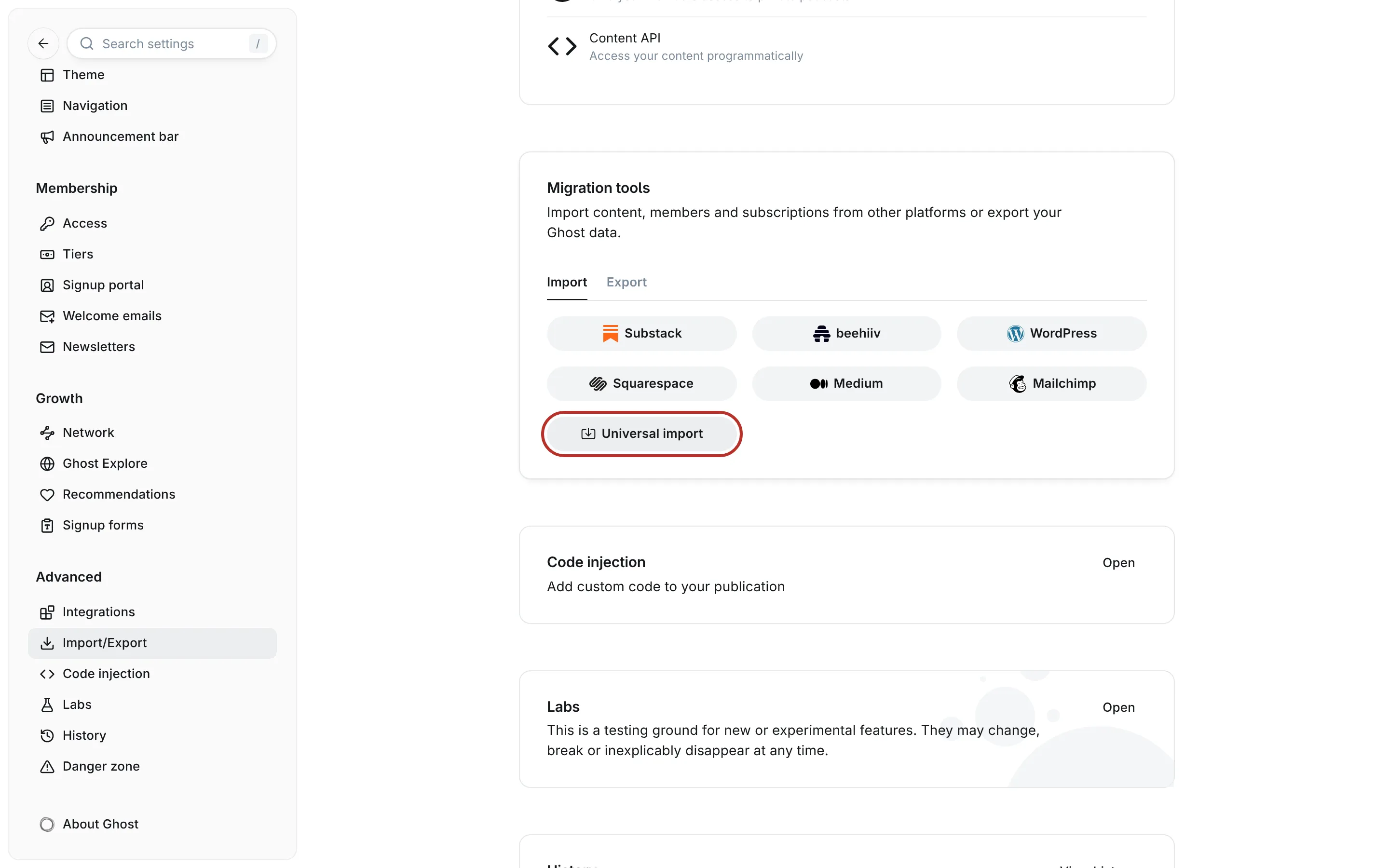
about, which the demo also uses. Go to Settings → Advanced → Danger zone, click Delete all content and confirm with Delete. This removes all posts, pages and tags. - Import the images. Go to Settings → Advanced → Migration tools, open the Import tab and click Universal import. Choose the file ending in
-demo-uploads.zipand wait until Ghost reports that the import is done. - Import the content. Click Universal import again and choose the file ending in
-demo-content.json. - Set the newsletter design. The demo doesn't include a newsletter, so yours stays as it is. Set its design as described under Newsletter design.
The import adds the posts, pages, tags, authors, the navigation, the announcement bar and the theme settings of the demo, including its preset. Open your site: it now looks like the demo of that sport.
What you'll notice afterwards
- The demo's dates are set around the day your version of the theme was released, with the results just before it and the next match a few days after. Once that match day is over, the home page shows no next match. To see it again, open the newest preview and write a coming date into its excerpt (see Previews).
- Every imported post has an extra internal tag named
#Importwith a date and time. Ghost adds it to everything it imports. It's harmless and invisible to readers. Delete it under Tags → Internal tags if it bothers you. - The demo's authors are imported as staff users who can't sign in. Ghost may send an e-mail to their invented addresses, which nobody receives. Assign the posts to yourself and delete those users under Settings → General settings → Staff when you start writing.
- The demo's comments aren't part of the import, because Ghost can't import comments. The demo sites show them so you can see the comments panel.
- The demo replaced your site's title, description, accent colour and navigation. Change them back under Settings → General settings and Settings → Site.
Make it your own
Change Club name to your club, then edit the demo's posts or delete them. Start with the standings page, because it has the most structure. Then do one report and one preview, which show you the score line and the fixture line, and the about page last.
The demo images are drawn graphics of an invented club, and so are the short clips in the two posts with the Video Header template. Swap them for photos and videos of your own club before you publish.